
Tags
Tags help you organize, mark, and filter your translations for better project management and workflow efficiency. In Locize, you can define and use tags to quickly find and group related translation keys or segments.
Configuring tags
You can configure your tags by navigating to your project settings page, in the "EDITOR, TM/MT/AI, ORDERING" tab and clicking the "Tags" section in the "Cat settings" card.
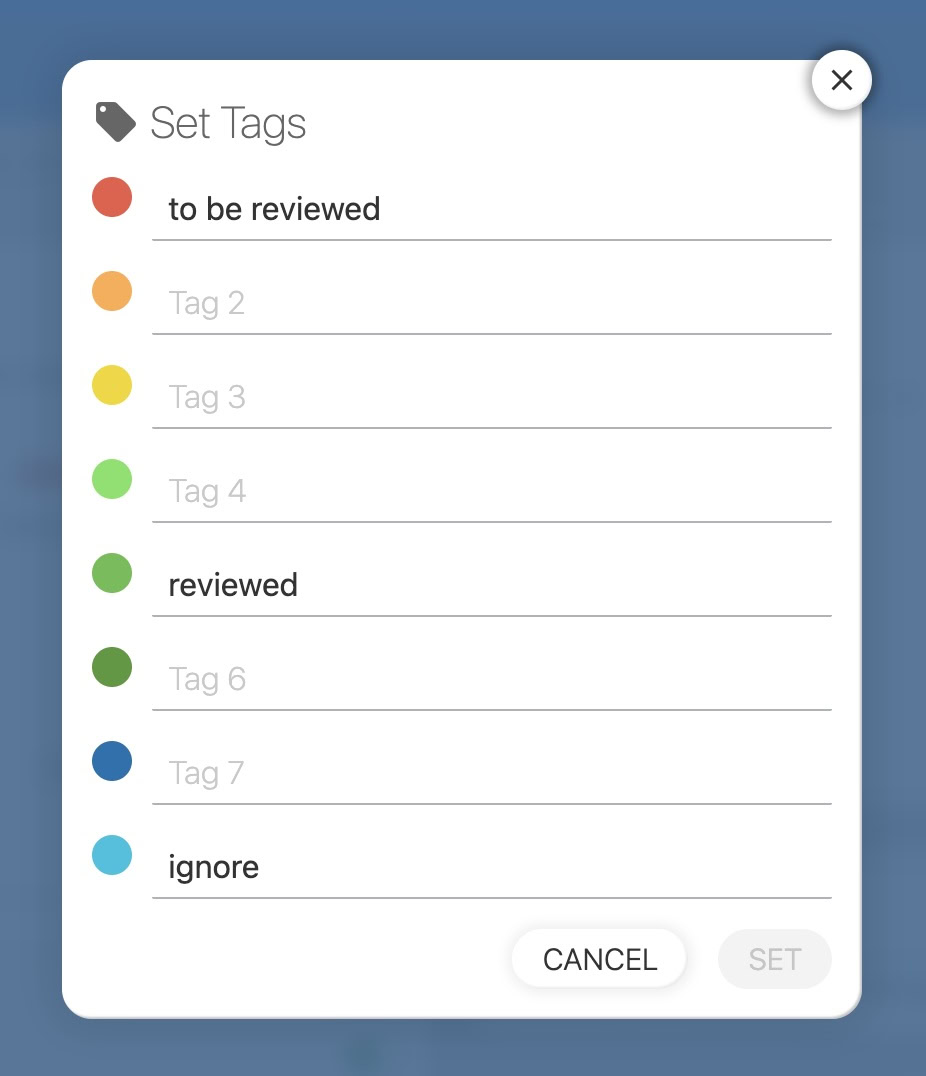
You can define up to 8 tags, which you can use in your translations to mark and filter them.
Using tags in the CAT interface / Translation Editor
Tags can be added, removed, and used to filter translations directly in the CAT (Computer-Assisted Translation) interface / Translation Editor.
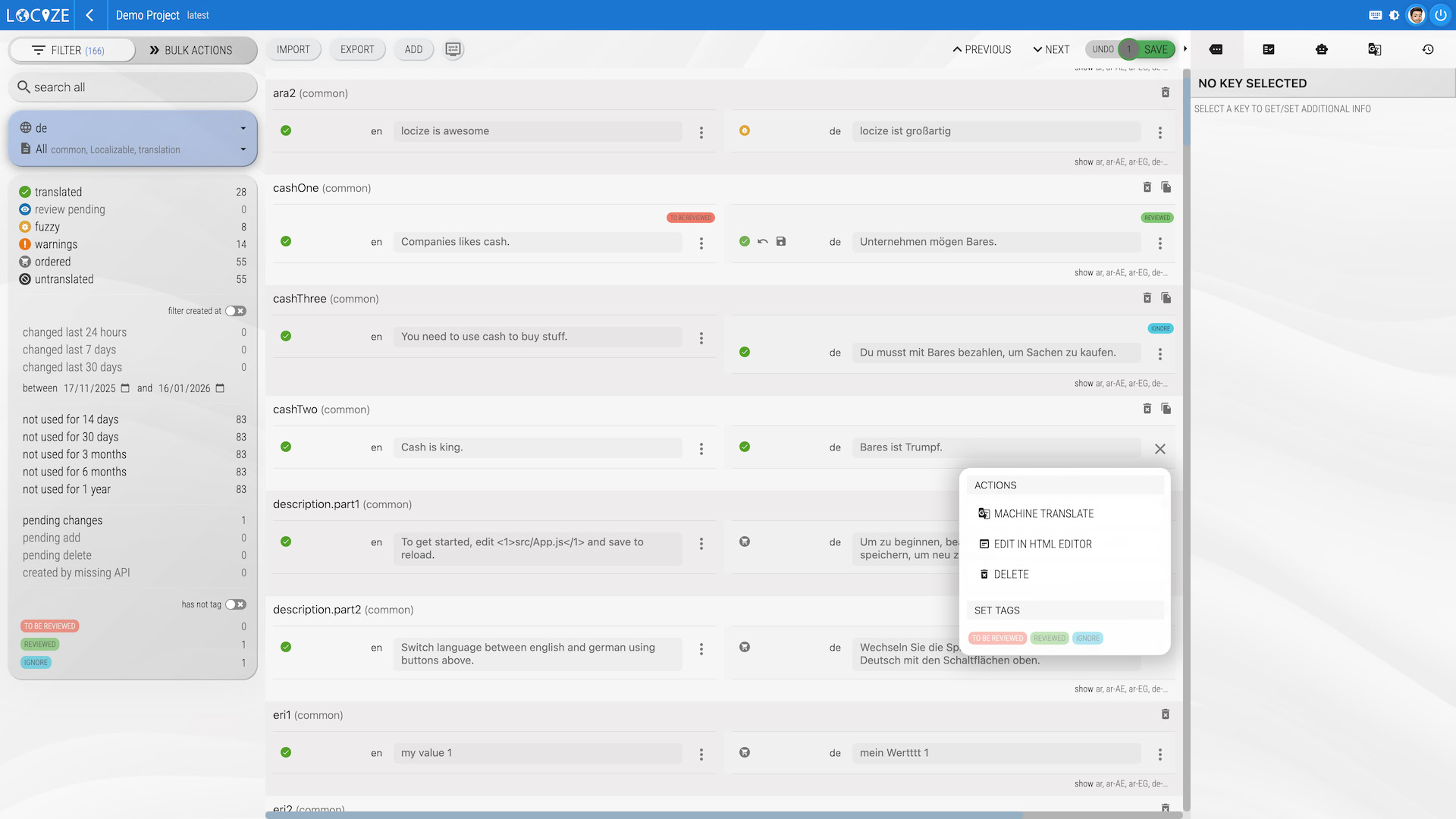
See tags in action
smart_display
YouTube Video
This video is hosted on YouTube. Accept YouTube cookies to watch it here.